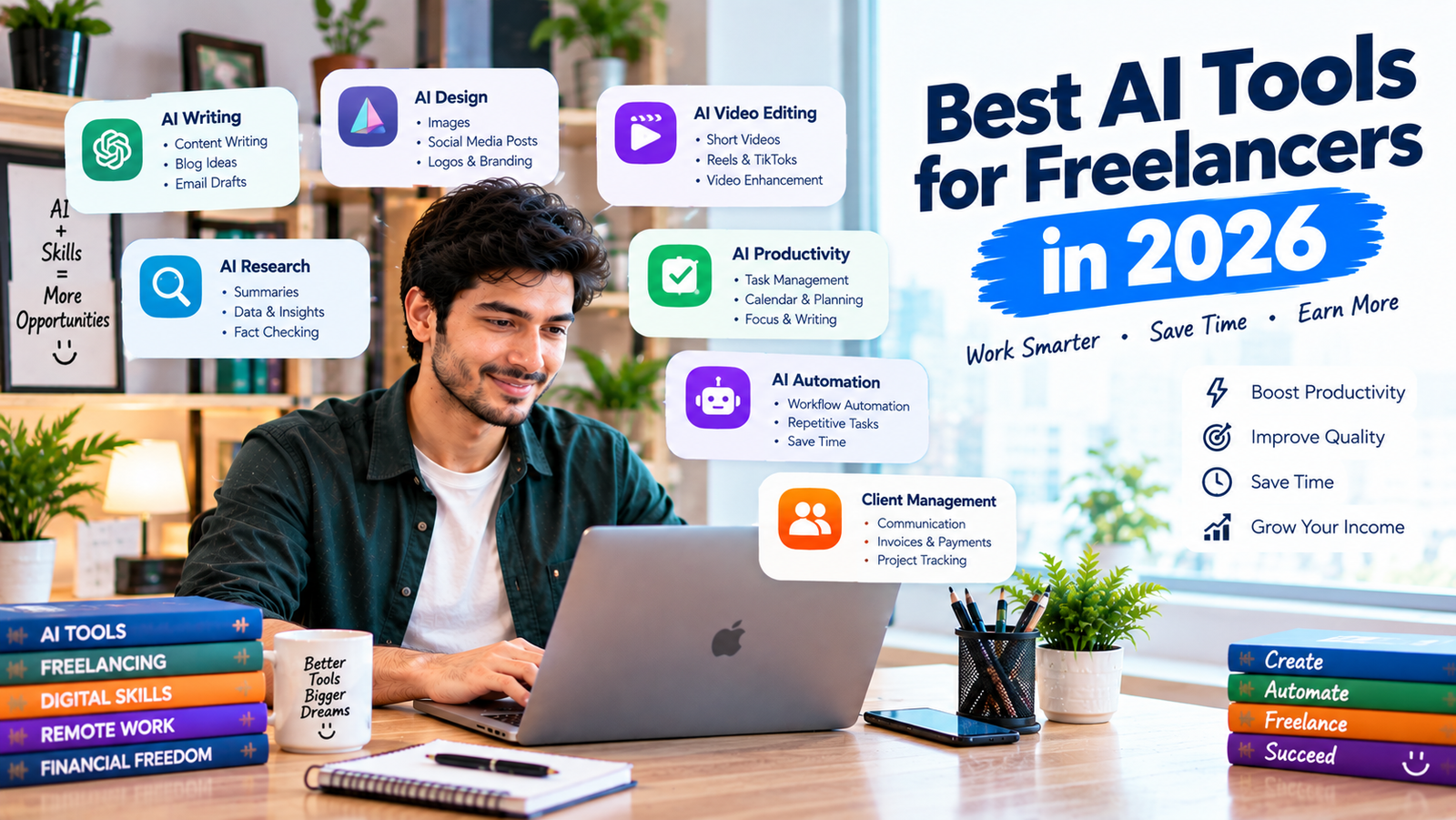
Artificial intelligence is changing the way freelancers work. Tasks that once took hours can now be completed faster with the help of AI tools.
For freelancers, AI can help with writing, research, graphic design, video editing, project management, communication, productivity, and many other tasks.
However, having dozens of AI tools doesn’t automatically make someone a better freelancer. The goal is to choose the right tools for your work and use them to improve productivity while maintaining quality and human judgment.
In this guide, we’ll explore the best AI tools for freelancers in 2026, what each tool can help you with, and how beginners can use AI to build a more efficient freelance workflow.
Why Should Freelancers Use AI Tools?
Freelancers often have to manage many responsibilities at the same time.
You may need to:
- Find clients
- Write proposals
- Communicate with customers
- Complete projects
- Research information
- Create content
- Manage deadlines
- Send invoices
- Promote your services
AI tools can help reduce repetitive work and give you more time to focus on tasks that require creativity, expertise, and decision-making.
The biggest advantage isn’t simply working faster. It’s being able to use your time more effectively.
1. ChatGPT
OpenAI’s ChatGPT is one of the most versatile AI tools freelancers can use.
Depending on your freelance service, you can use it for:
- Brainstorming ideas
- Creating content outlines
- Drafting proposals
- Research assistance
- Writing emails
- Creating social media ideas
- Summarizing information
- Improving clarity and grammar
- Creating project plans
- Generating ideas for clients
For example, a freelance writer can use ChatGPT to brainstorm article topics and create an initial outline before developing the final content.
The important thing is to review and improve AI-generated output rather than submitting it without checking.
2. Grammarly
Grammarly can help freelancers improve their written communication.
This can be useful when writing:
- Client emails
- Freelance proposals
- Blog articles
- Reports
- Website content
- Social media posts
Freelancers communicate with clients regularly, so clear and professional writing is important.
Grammar and spelling mistakes can make communication look less professional. An AI-powered writing assistant can help identify potential issues before you send something to a client.
3. Canva
Canva is useful for freelancers who create visual content.
You can use it to create:
- Social media graphics
- Presentations
- Thumbnails
- Posters
- Simple advertisements
- Portfolio pages
- Infographics
Its AI features can also help with design ideas, content creation, and editing.
Beginners can use Canva to create professional-looking visual samples without needing advanced graphic design software.
4. Adobe Firefly
Adobe’s Firefly provides generative AI capabilities for creative workflows.
Designers can use generative features to experiment with:
- Image concepts
- Creative variations
- Backgrounds
- Visual elements
- Design ideas
For freelancers, this can speed up parts of the creative process.
However, designers should always consider client requirements, licensing, originality, and the appropriate use of AI-generated content.
5. Notion AI
Notion can help freelancers organize projects, notes, tasks, and information.
With AI features, freelancers can use their workspace to assist with:
- Summarizing notes
- Organizing information
- Brainstorming
- Creating task lists
- Drafting documents
- Managing project information
This can be particularly useful if you’re handling multiple clients at the same time.
A well-organized workspace can reduce confusion and help you keep track of deadlines.
6. ClickUp
ClickUp is a project management platform that can help freelancers organize their workflow.
AI-assisted features can help with tasks such as:
- Creating task summaries
- Generating ideas
- Writing project-related content
- Organizing tasks
- Managing project information
For freelancers working with multiple clients, project management tools can make it easier to separate projects and track progress.
7. Otter.ai
Meetings and client calls can contain a lot of useful information.
Otter.ai can help with transcription and meeting notes, allowing freelancers to spend less time manually writing down everything discussed.
This can be useful for:
- Client meetings
- Interviews
- Research conversations
- Project discussions
- Team meetings
After a meeting, you can review the transcript and turn important information into action items.
8. Perplexity
Perplexity can be useful for research-focused freelance work.
Freelancers can use AI search tools to explore topics, discover information, and identify sources more efficiently.
For example, a content writer researching a new topic can use an AI research assistant to quickly understand the subject before checking important information against reliable sources.
Always verify important facts, especially when creating professional or business content.
9. Descript
Descript is designed around audio and video editing workflows.
It can be useful for freelancers working with:
- Podcasts
- YouTube videos
- Interviews
- Short-form videos
- Audio content
Features that make editing easier can help freelancers reduce the time spent on repetitive editing tasks.
This can be especially useful for freelancers who provide content repurposing services.
10. CapCut
CapCut is popular for short-form video editing and offers various AI-assisted features.
Freelancers can use video editing tools for:
- Reels
- Shorts
- Social media videos
- Captions
- Promotional videos
- Short advertisements
Video editing is an increasingly useful freelance skill, and AI-assisted editing can help beginners create content more efficiently.
11. Trello
Trello is a simple project and task management tool.
Freelancers can organize their work using boards and cards for:
Ideas → To Do → In Progress → Review → Completed
This simple system can help you manage several projects without losing track of deadlines.
When combined with AI-assisted workflows, project management can become even more efficient.
12. Zapier
Zapier can help freelancers automate repetitive workflows between different applications.
For example, you might create an automation that connects:
New client form → Spreadsheet → Email notification → Task creation
Automation can save time by reducing repetitive manual tasks.
This is particularly valuable for freelancers who are building their own small online businesses.
13. Fireflies.ai
Fireflies.ai is another AI-powered meeting assistant that can help capture and organize information from conversations.
Freelancers can use meeting assistants to reduce the need for manual note-taking.
After a client meeting, you can review the important points and turn them into tasks or project requirements.
This can help reduce misunderstandings and improve project organization.
14. Copy.ai
Copy.ai is designed to assist with marketing and business content.
Depending on your workflow, it can help with:
- Marketing ideas
- Social media content
- Sales copy
- Content drafts
- Business messaging
Freelance copywriters and digital marketers may find AI-assisted ideation useful when developing different versions of marketing content.
Human editing remains important to make the final copy natural and relevant.
15. Midjourney
Midjourney is an AI image-generation tool that can help creative professionals explore visual concepts.
Freelancers can use image generation for brainstorming and concept development.
For example, a designer might create visual directions for:
- Brand concepts
- Advertising ideas
- Creative campaigns
- Mood boards
- Visual inspiration
Before using generated assets in commercial projects, freelancers should understand the applicable terms, rights, and client requirements.
How to Choose the Best AI Tools for Freelancing
There is no single AI tool that is perfect for every freelancer.
The right tools depend on the type of work you provide.
A writer may need AI writing and research tools.
A designer may benefit more from AI image and design tools.
A video editor may need AI transcription and editing tools.
A virtual assistant may benefit from automation and productivity tools.
Instead of subscribing to every AI platform you see online, start with one or two tools that solve an actual problem in your workflow.
🖼️ SECOND IMAGE — INSERT HERE
Place Image 2 immediately after the paragraph above:
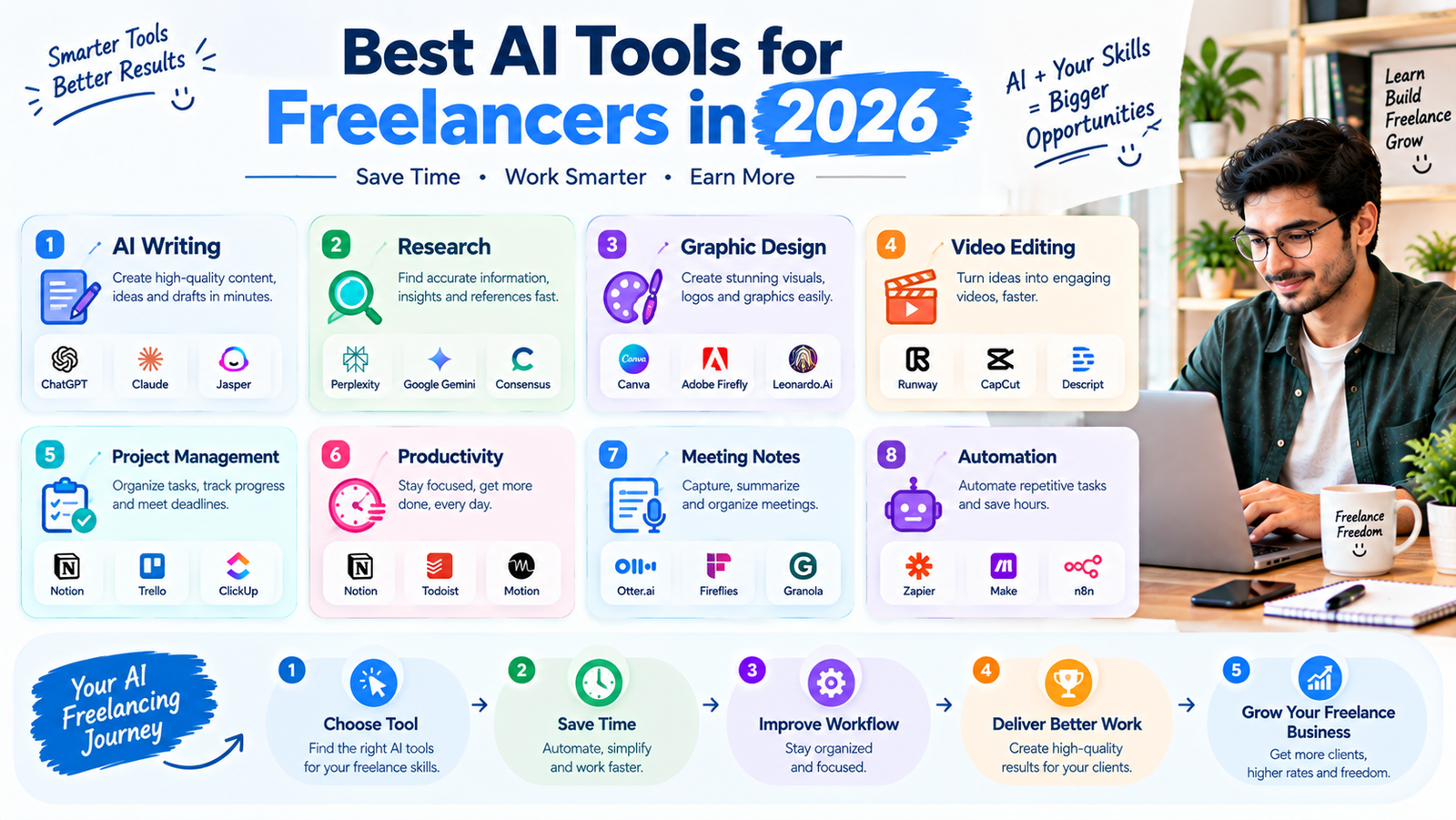
There is no single AI tool that is perfect for every freelancer. The right tools depend on the type of work you provide.
⬇️ INSERT SECOND IMAGE HERE ⬇️
Image 2: “Best AI Tools for Freelancers in 2026”
Then continue with:
A writer may need AI writing and research tools.
This placement works well because the infographic gives readers a quick visual overview of the major AI tools before the article explains which tools are best for different freelance professions.
Best AI Tools Based on Your Freelance Skill
For Content Writers
Consider tools for:
- Writing assistance
- Research
- Grammar
- Content planning
- SEO workflows
ChatGPT, Grammarly, and research-focused AI tools can be useful starting points.
For Graphic Designers
Design freelancers may benefit from:
- Canva
- Adobe Firefly
- Midjourney
These tools can help with concepts, variations, and visual experimentation.
For Video Editors
Video freelancers can explore:
- Descript
- CapCut
- AI transcription tools
These can help speed up editing and content repurposing.
For Virtual Assistants
Virtual assistants can benefit from:
- Notion
- ClickUp
- Trello
- Zapier
- AI meeting assistants
These tools can help with organization, task management, communication, and automation.
How AI Can Help You Earn More as a Freelancer
AI doesn’t automatically increase your income.
Instead, it can help you provide services more efficiently.
For example, if a task normally takes three hours and you can responsibly reduce the repetitive portion to one hour, you have more time available for other projects.
You can use that additional time to:
- Take on more suitable projects
- Improve your service
- Communicate with clients
- Learn new skills
- Build your portfolio
- Find new clients
The goal should be higher productivity and better service, not simply producing more low-quality work.
Don’t Become Completely Dependent on AI
AI tools are powerful, but freelancers should not rely on them for everything.
Clients still value:
- Creativity
- Experience
- Communication
- Critical thinking
- Accuracy
- Problem-solving
- Human judgment
If you simply copy AI-generated output and send it to a client, the quality may suffer.
Instead, use AI as an assistant.
AI can help you work faster, but your expertise should determine the final result.
Protect Client Information
Freelancers often work with private business information.
Before putting client data, confidential documents, customer information, or sensitive material into an AI tool, understand the tool’s privacy settings and the client’s requirements.
When in doubt, don’t upload confidential information without appropriate permission.
Professional freelancers should treat client information carefully regardless of which tools they use.
Create Your Own AI-Powered Workflow
Once you understand your tools, combine them into a simple workflow.
For example, a freelance content writer could use:
AI research → Outline → Human writing → AI-assisted editing → Human fact-checking → Final delivery
A social media freelancer could use:
Content ideas → AI-assisted captions → Design → Scheduling → Performance review
A virtual assistant could use:
Client request → Task management → Automation → Completion → Client update
The exact workflow will depend on your freelance service.
Final Thoughts
The best AI tools for freelancers in 2026 are not necessarily the tools with the most features.
The best tools are the ones that solve real problems in your workflow.
ChatGPT, Grammarly, Canva, Adobe Firefly, Notion AI, ClickUp, Otter.ai, Perplexity, Descript, CapCut, Trello, Zapier, Fireflies.ai, Copy.ai, and Midjourney can support different types of freelance work.
Start small. Choose tools that match your service, learn how to use them properly, and always review AI-generated work before delivering it to clients.
Freelancing still depends on valuable skills and strong client relationships. AI can make those skills more productive, but it shouldn’t replace your responsibility for the final result.
The freelancers who learn how to combine human expertise + AI productivity can build more efficient workflows and create greater value for their clients.