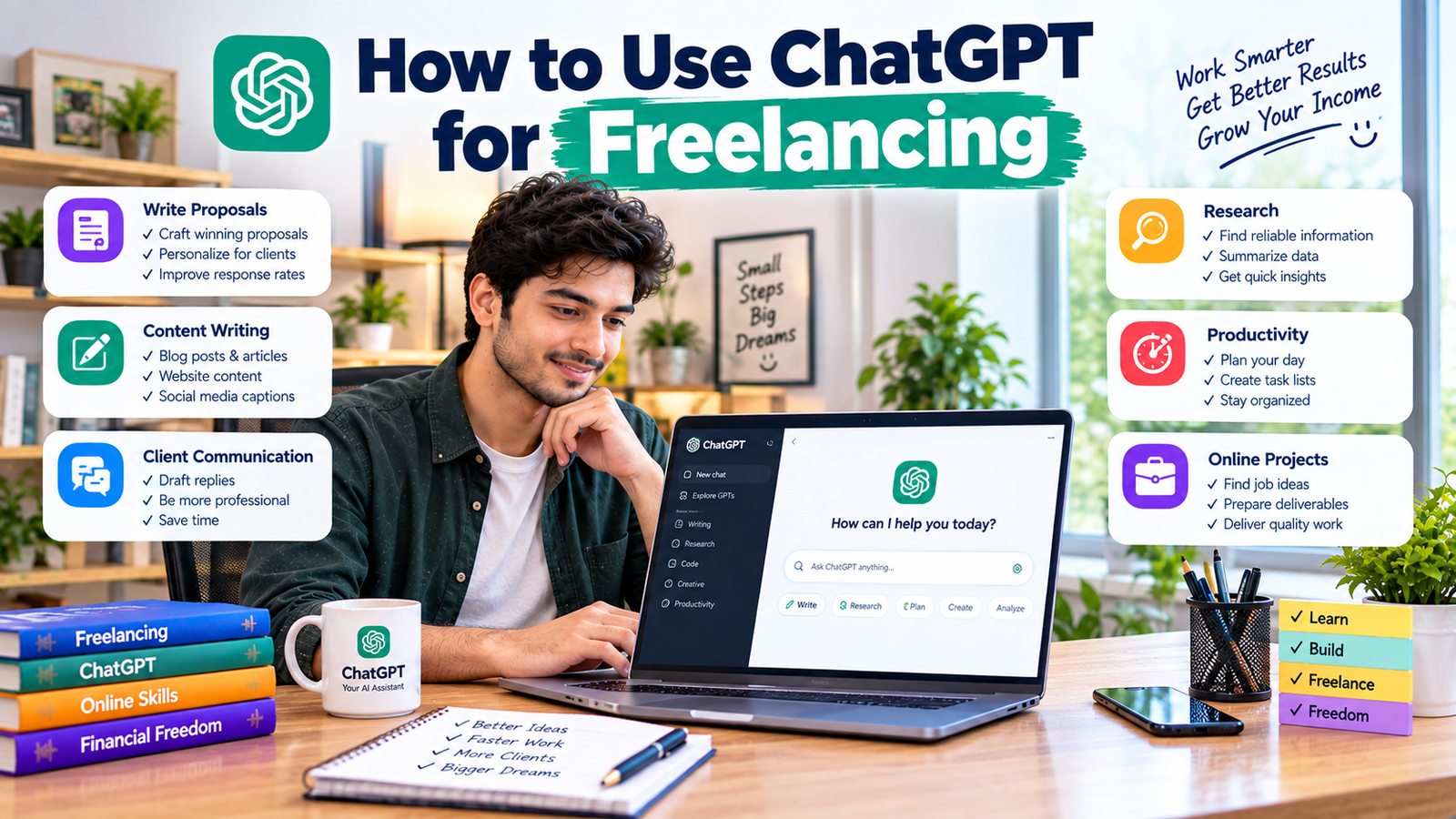
ChatGPT has become a useful tool for freelancers who want to work more efficiently, generate ideas, communicate with clients, and manage repetitive tasks.
Whether you’re a content writer, virtual assistant, social media manager, graphic designer, SEO freelancer, or digital marketer, ChatGPT can support different parts of your freelance workflow.
However, using ChatGPT for freelancing doesn’t mean simply copying AI-generated content and sending it to clients. The best approach is to use ChatGPT as an assistant while your own skills, creativity, judgment, and experience remain responsible for the final result.
In this guide, you’ll learn how to use ChatGPT for freelancing, what tasks it can help with, how to write better prompts, and how beginners can use it to improve their freelance workflow.
What Is ChatGPT?
ChatGPT is an AI assistant developed by OpenAI that can help users generate and work with text, ideas, information, and other types of content.
For freelancers, it can be useful for brainstorming, drafting, organizing information, creating outlines, improving communication, and many other tasks.
The exact features available can change over time, so freelancers should always check the current capabilities and settings of the version they are using.
Can You Use ChatGPT for Freelancing?
Yes. ChatGPT can be useful across many freelance professions.
For example, a content writer can use it to brainstorm article ideas and create outlines.
A virtual assistant can use it to draft professional emails.
A social media manager can use it to generate content ideas.
An SEO freelancer can use it to organize keyword research and create content briefs.
A freelancer who understands how to use ChatGPT effectively can potentially reduce repetitive work and spend more time on tasks that require human judgment.
1. Use ChatGPT to Find Freelance Service Ideas
If you’re a beginner, you may not know exactly what freelance service you should offer.
ChatGPT can help you brainstorm possible services based on your interests and existing skills.
For example, you can ask it to suggest freelance services related to:
- Writing
- Marketing
- Design
- Administration
- Technology
- Research
- Social media
- Customer support
You can then evaluate those ideas based on your actual abilities and the services clients are looking for.
Don’t choose a freelance service simply because an AI tool says it is profitable. Research the market and develop the skills necessary to deliver the service.
2. Use ChatGPT for Freelance Research
Research can take a significant amount of time.
ChatGPT can help you organize research questions, brainstorm topics, explain concepts, and identify areas that require further investigation.
For example, if you’re writing an article about remote work, you could ask ChatGPT to create a research checklist.
It might help you identify topics such as:
- Benefits of remote work
- Common remote job categories
- Productivity challenges
- Communication tools
- Remote work best practices
You should still verify important facts using reliable sources before delivering professional content to a client.
3. Create Content Outlines
One of the most useful applications of ChatGPT for freelance writers is creating content outlines.
Instead of starting with a blank page, you can provide the topic, audience, purpose, and desired structure.
For example:
“Create a detailed outline for a 1,500-word article about beginner freelancing. The target audience is people who have never worked online before. Use clear H2 and H3 headings and include practical examples.”
The resulting outline can give you a starting point.
You should then review, improve, and customize the structure before writing the final article.
4. Improve Your Freelance Writing
ChatGPT can also help improve writing.
You can use it to identify:
- Grammar issues
- Unclear sentences
- Repetitive wording
- Awkward transitions
- Overly complicated language
For example, you could provide a paragraph and ask:
“Improve the clarity and readability of this paragraph while keeping the original meaning.”
This can be particularly helpful for freelancers who write in a language that isn’t their first language.
However, don’t blindly accept every suggested change. Read the final version yourself and make sure the meaning and tone remain accurate.
5. Write Better Freelance Proposals
Winning freelance projects often requires writing personalized proposals.
ChatGPT can help you create a basic proposal structure.
You can provide:
- The client’s project requirements
- Your relevant skills
- Your experience
- A relevant portfolio sample
- Your preferred tone
Then ask ChatGPT to help organize the information into a professional proposal.
But don’t send an identical AI-generated proposal to every client.
Your proposal should mention the client’s specific requirements and explain how you can help.
6. Use ChatGPT for Client Emails
Freelancers regularly need to communicate with clients.
ChatGPT can help draft:
- Project updates
- Follow-up emails
- Meeting confirmations
- Clarification requests
- Delivery messages
- Thank-you messages
- Revision responses
For example, if you need to tell a client that a project will take longer than expected, ChatGPT can help you write a professional explanation.
You should always review the message before sending it because client communication should reflect your actual situation.
7. Generate Social Media Content Ideas
Social media managers and content creators can use ChatGPT for brainstorming.
You can ask it for ideas for:
- Instagram posts
- LinkedIn posts
- Short videos
- Educational content
- Promotional posts
- Questions and polls
- Content calendars
For example:
“Create 20 social media content ideas for a small online fitness business. Include educational, promotional, engagement, and behind-the-scenes ideas.”
This can give you a starting content calendar that you can customize for the client’s brand.
8. Create SEO Content Briefs
SEO freelancers and content writers can use ChatGPT to organize content briefs.
A basic content brief can include:
- Target keyword
- Search intent
- Suggested headings
- Questions to answer
- Audience
- Content angle
- Internal linking ideas
However, don’t treat AI-generated SEO suggestions as guaranteed ranking strategies.
Search engine optimization requires real research, competitive analysis, useful content, and ongoing testing.
Use ChatGPT as a planning assistant rather than an automatic SEO solution.
9. Use ChatGPT for Brainstorming
Sometimes the hardest part of freelancing isn’t doing the work—it’s coming up with ideas.
ChatGPT can act as a brainstorming partner.
For example, a graphic designer could ask for branding concepts.
A writer could request article topics.
A marketer could brainstorm campaign ideas.
A video editor could generate short-form video concepts.
The important advantage is that you can ask follow-up questions and refine ideas instead of starting from zero.
10. Create Client Questionnaires
Before starting a project, you need to understand what the client actually wants.
ChatGPT can help you create a client questionnaire.
For example, a website freelancer might ask:
- What is the purpose of the website?
- Who is your target audience?
- What pages do you need?
- Do you have existing branding?
- What websites do you like?
- What action should visitors take?
A good questionnaire can reduce misunderstandings and make the project easier to manage.
11. Create Project Checklists
Freelancers often have multiple steps to complete for every project.
ChatGPT can help turn a project description into a checklist.
For example:
Client Brief → Research → Draft → Review → Revisions → Final Delivery
You can customize the checklist according to the project.
This is especially useful when you’re managing several clients and don’t want to forget important steps.
🖼️ SECOND IMAGE — INSERT HERE
Place Image 2 immediately after this paragraph under the heading “How to Use ChatGPT Effectively for Freelancing”:
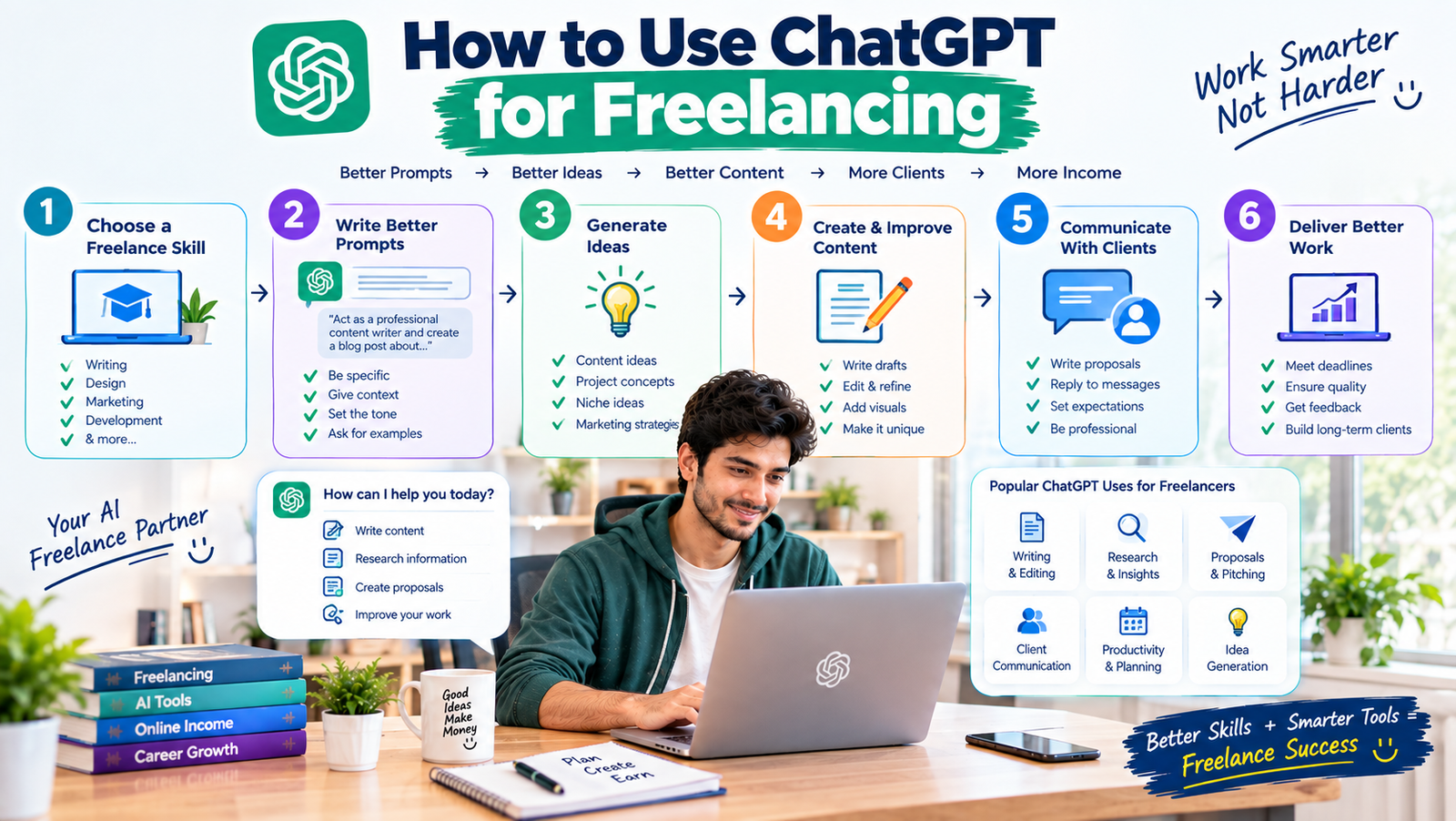
ChatGPT becomes much more useful when you give it clear instructions, relevant context, and a specific goal.
⬇️ INSERT SECOND IMAGE HERE ⬇️
Image 2: “How to Use ChatGPT for Freelancing”
Then continue with:
Instead of asking a vague question, give ChatGPT enough information to understand what you actually need.
This placement is ideal because the infographic introduces the practical ChatGPT workflow immediately before explaining how to create better prompts.
How to Use ChatGPT Effectively for Freelancing
ChatGPT becomes much more useful when you give it clear instructions, relevant context, and a specific goal.
Instead of asking a vague question, give ChatGPT enough information to understand what you actually need.
A useful prompt can include:
Role: Tell ChatGPT what type of assistant you want.
Task: Clearly explain what you want it to do.
Context: Provide relevant background information.
Audience: Explain who the final content is for.
Format: Specify whether you want an email, outline, table, checklist, or another format.
Tone: Explain whether the content should be professional, friendly, persuasive, or simple.
For example, instead of:
“Write an email.”
Try:
“Act as a professional freelance communication assistant. Write a short, friendly email to a client explaining that their website project is ready for review. Keep the tone professional and make the next step clear.”
The second prompt provides much more useful context.
12. Use ChatGPT to Practice Freelancing
Beginners can also use ChatGPT as a practice partner.
You can ask it to simulate a client conversation.
For example:
“Act as a potential client looking for a freelance content writer. Ask me questions about my experience, pricing, availability, and writing process.”
You can then practice responding professionally.
This can help beginners become more comfortable with client communication before working with real customers.
13. Use ChatGPT to Learn New Skills
ChatGPT can also support your learning process.
If you’re learning SEO, writing, marketing, coding, or another freelance skill, you can ask it to explain concepts in simpler language.
You can also request:
- Examples
- Practice exercises
- Quizzes
- Step-by-step explanations
- Feedback on your work
- Study plans
However, use multiple reliable learning sources when developing professional skills. AI explanations can sometimes contain mistakes or incomplete information.
14. Use ChatGPT for Freelance Productivity
Freelancers often work independently, so productivity is important.
You can use ChatGPT to help organize:
- Daily tasks
- Weekly goals
- Project steps
- Content calendars
- Learning plans
- Client workflows
For example:
“Create a weekly schedule for a freelance writer who needs to spend time on client projects, finding new clients, portfolio development, and skill learning.”
You can then customize the schedule around your actual availability.
15. Don’t Submit AI Output Without Reviewing It
One of the biggest mistakes freelancers can make is treating AI output as finished work.
AI can produce information that is inaccurate, repetitive, generic, or unsuitable for a particular client.
Always review:
- Facts
- Grammar
- Tone
- Originality
- Client requirements
- Formatting
- Sensitive information
Add your own expertise and judgment to the final work.
Your client is hiring you, not simply an AI tool.
Protect Client Privacy
Freelancers may handle private business information, customer data, unpublished content, contracts, and other confidential material.
Before entering client information into an AI service, understand the service’s privacy controls and your client’s requirements.
Avoid sharing sensitive information unnecessarily.
If a client has specific rules about AI usage, follow those requirements.
Can ChatGPT Replace Freelancers?
ChatGPT can automate or accelerate certain tasks, but it doesn’t eliminate the need for skilled freelancers.
Clients still need people who can:
- Understand business goals
- Make decisions
- Communicate clearly
- Review information
- Solve problems
- Understand context
- Produce creative work
- Take responsibility for results
The strongest approach is to learn how to use AI while developing a real professional skill.
How Beginners Can Start Using ChatGPT for Freelancing
If you’re completely new, start with a simple workflow.
1: Choose one freelance skill.
2: Learn the fundamentals of that skill.
3: Use ChatGPT for brainstorming and learning.
4: Create sample projects.
5: Use ChatGPT to improve your workflow.
6: Build your freelance portfolio.
7: Use it to help draft personalized proposals and client messages.
8: Review everything before sending it to clients.
This approach allows you to develop both your freelance skill and your AI skills at the same time.
Final Thoughts
Learning how to use ChatGPT for freelancing can help beginners and experienced freelancers work more efficiently.
You can use ChatGPT for brainstorming, research, content outlines, writing assistance, proposals, client emails, social media ideas, SEO planning, project checklists, learning, and productivity.
But AI should be treated as a tool—not a replacement for your professional judgment.
The most valuable freelancers will be those who combine strong human skills with smart AI workflows.
Start with one freelance service, learn how to use ChatGPT effectively, practice regularly, and always review your work before delivering it.
The goal isn’t simply to use AI more.
The goal is to use AI intelligently to provide better value to your clients.